Skip to Content

How It Works

  1. When purchasing tickets from the Colorado Symphony website or Box Office, select or request Email Tickets as your delivery method.
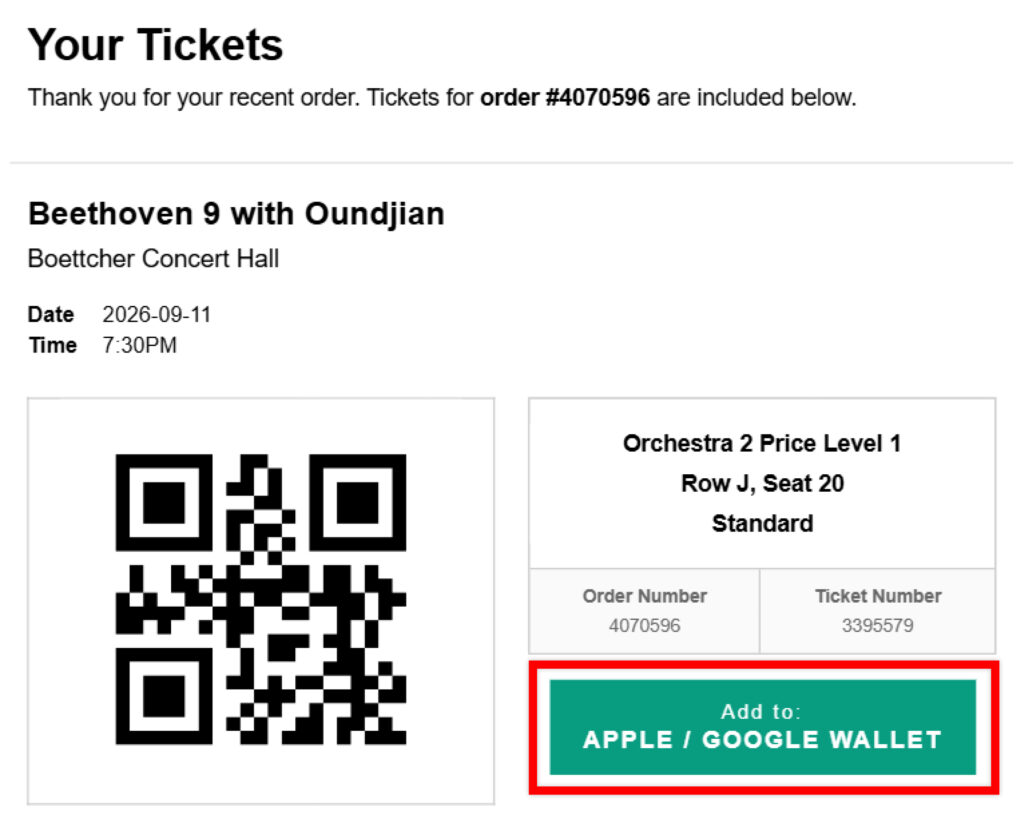
  2. Once your performance is less than 90 days away, use your mobile phone to open your Email Tickets and click the Add to: Apple / Google Wallet button.
  3. As you arrive for your performance, open the Apple or Google Wallet app on your mobile phone and an usher will scan the QR code directly from your mobile wallet.
  4. Enjoy the show!

A Mobile Wallet Ticket is a digital ticket that can be stored in the Apple Wallet or Google Wallet mobile apps, eliminating the need to access your email. Mobile Wallet apps are free to download from the App Store or Google Play but are typically pre-loaded onto your smartphone.

Tickets may only be added to your mobile wallet if the performance is less than 90 days away.

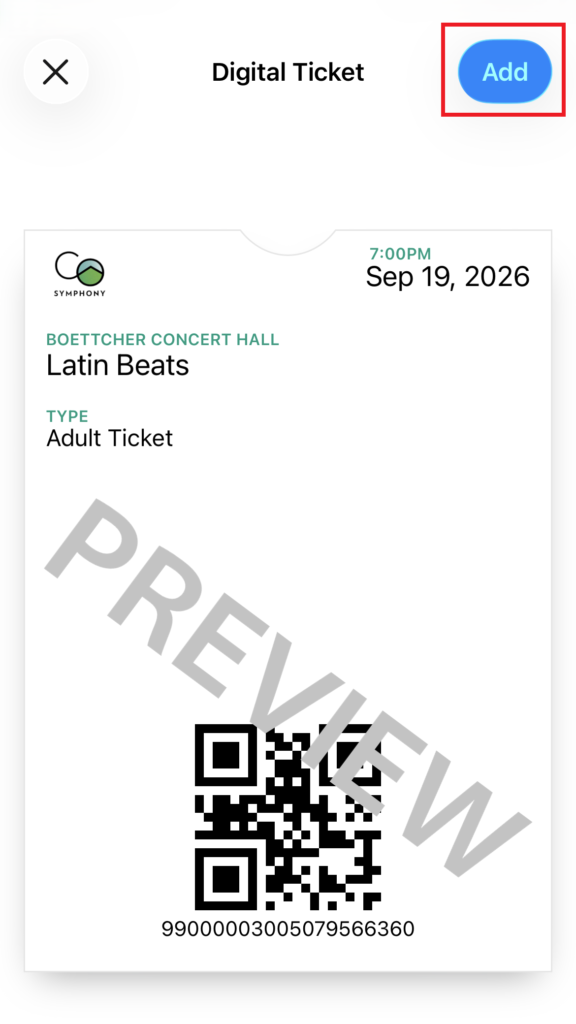
To add your ticket(s) to your mobile wallet, simply click the Add to: Apple / Google Wallet button within your Email Tickets. Follow any directions or prompts that may be presented, such as clicking an Add button or View in Wallet button. 

If your Email Tickets do not display an Add to: Apple / Google Wallet button, please contact the Box Office with your order number and ask them to resend your tickets.

Please Note: Resent Email Tickets will override your original Email Tickets. As a new feature, all tickets purchased this past spring and summer will not have the Add to: Apple/Google Wallet button and will need to be resent in order to use the Mobile Wallet feature.

No, your original Mobile Wallet Ticket will not reflect any order changes. You’ll need to manually add the new/updated ticket(s) to your mobile wallet.

Please Note: This will create a second ticket within your Mobile Wallet, so we highly recommend first removing the original ticket to avoid confusion. 

Yes, tickets can be shared via your mobile wallet; however, the shared ticket will still appear in your mobile wallet unless you manually remove it. 

Most tickets can be added to your mobile wallet with the exception of Student, Teacher, Active Military, and Veteran tickets, which must be picked up from the Box Office with a valid ID. 

Yes, Email Tickets are still valid, even if you add them to your mobile wallet.

No, you may still use printed tickets and Email Tickets if desired. Mobile Wallets are simply an added convenience for our patrons that allows easier access to digital tickets.